How to find your ALLO account number
There are two simple ways to find your ALLO account number- in your SmartHub account, or on your billing statement. Check out our step-by-step instructions for locating your ALLO account number.
1. How to find your account number in Smarthub
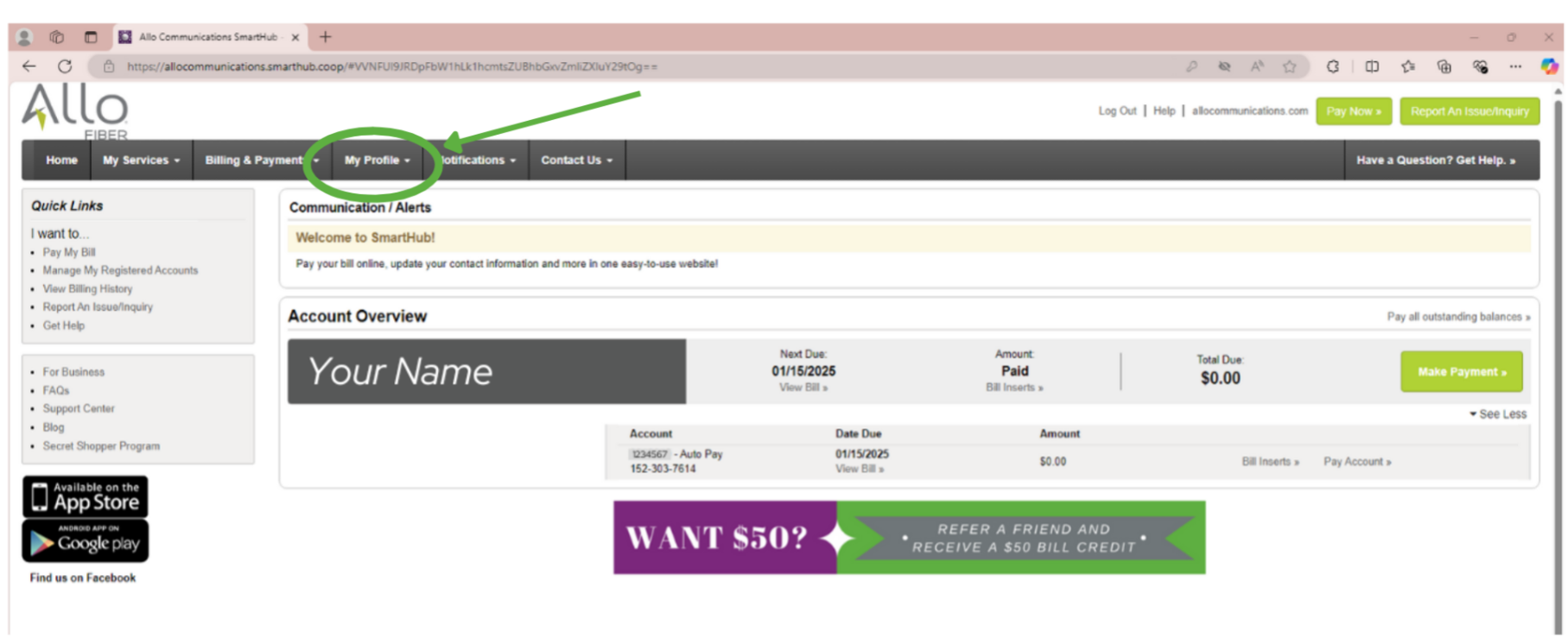
- Log in to your SmartHub account
- Navigate to My Profile
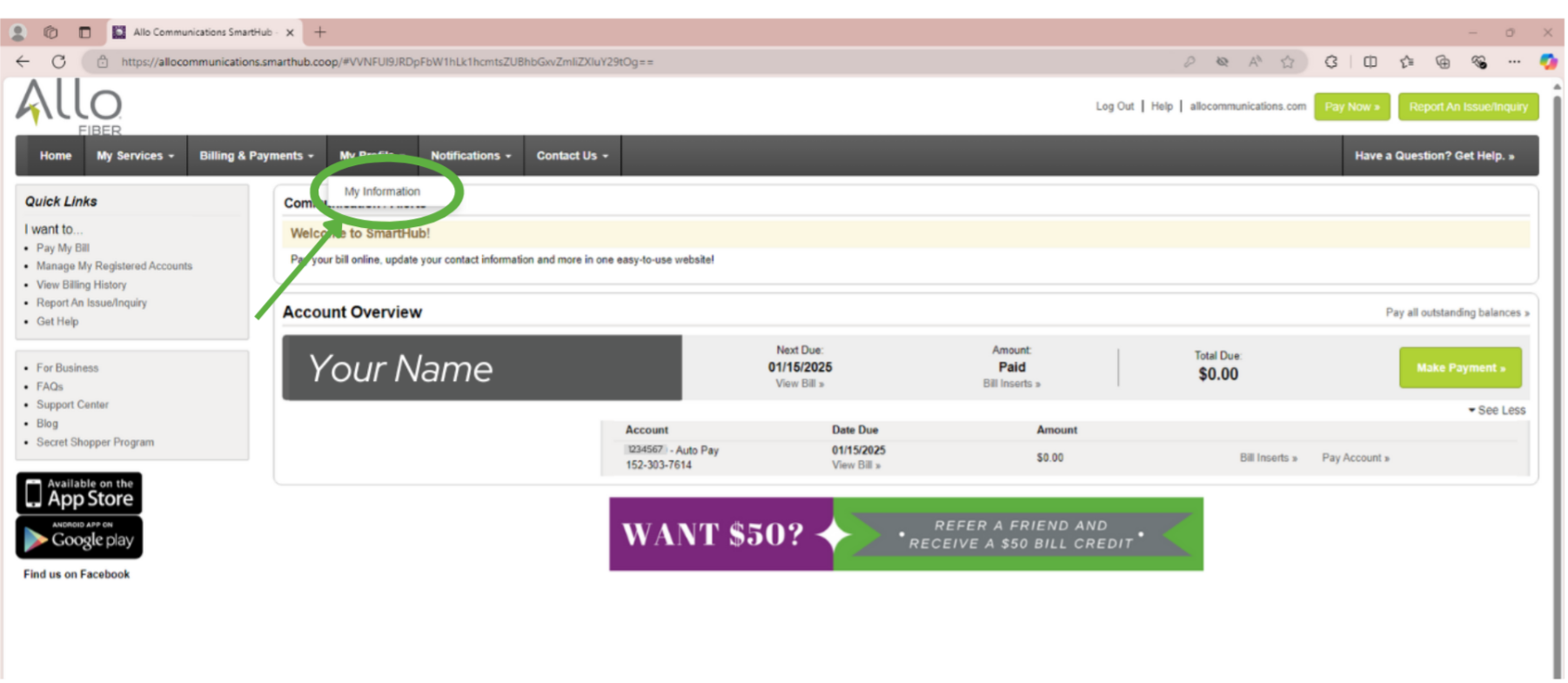
- Select My Information
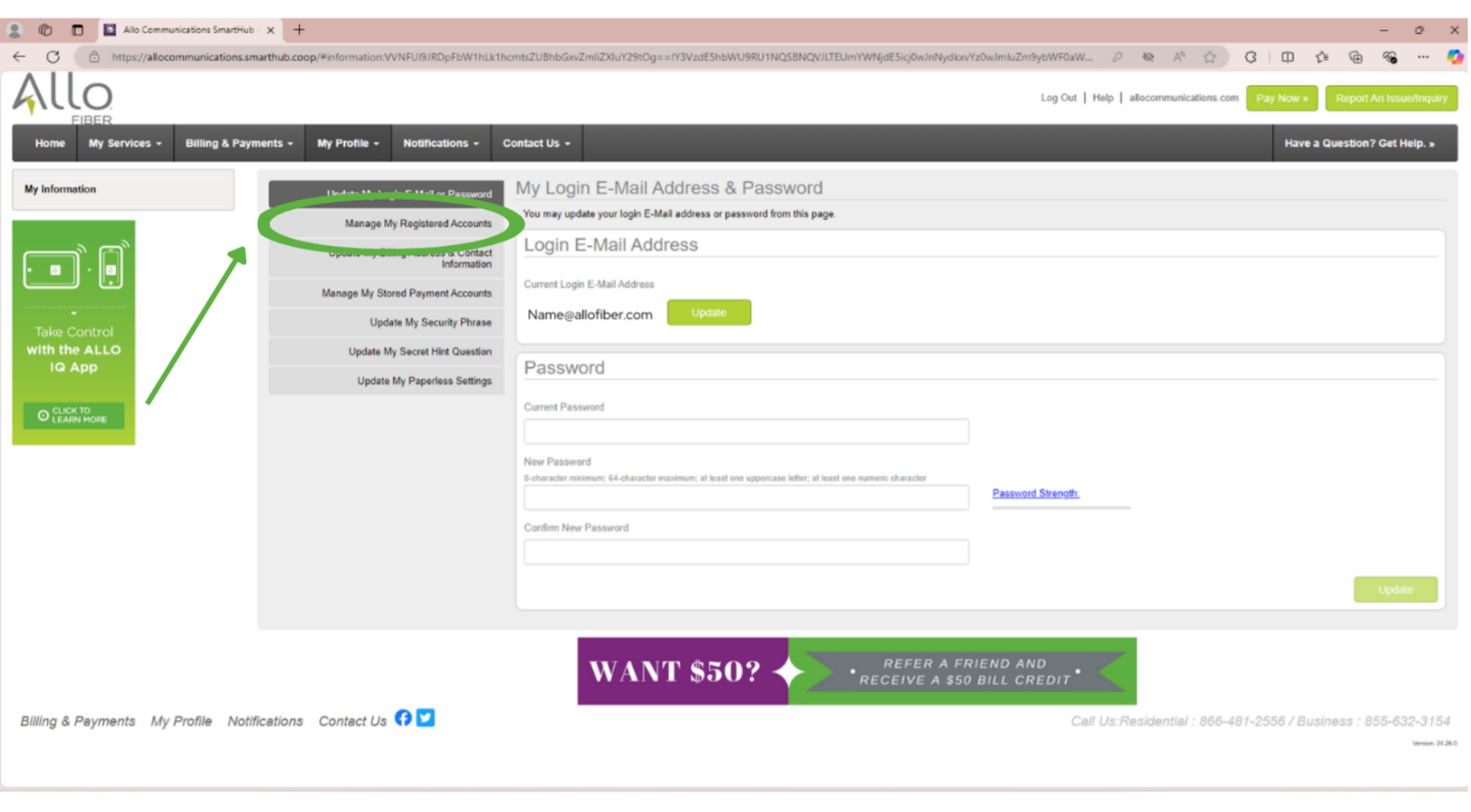
- Click on Manage My Registered Accounts
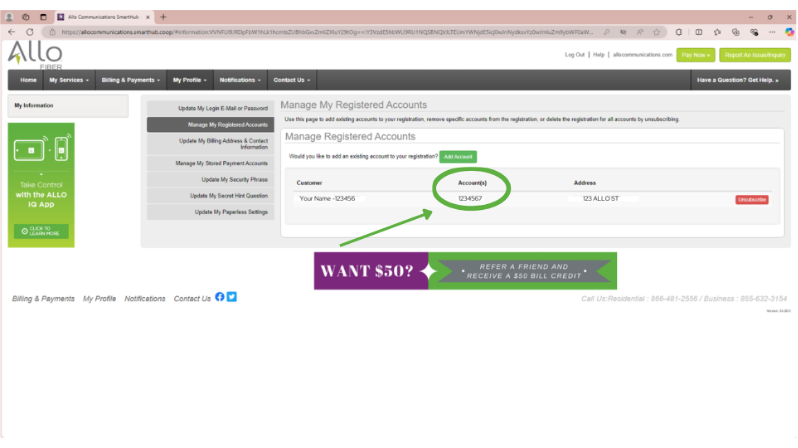
- Your account number will be displayed in this section
2. How to find your account number on your billing statement
- Log in to your SmartHub account
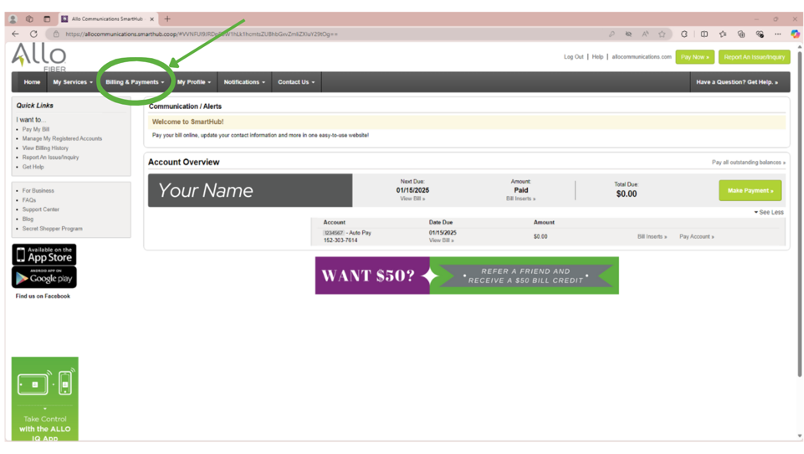
- Navigate to Billing & Payments
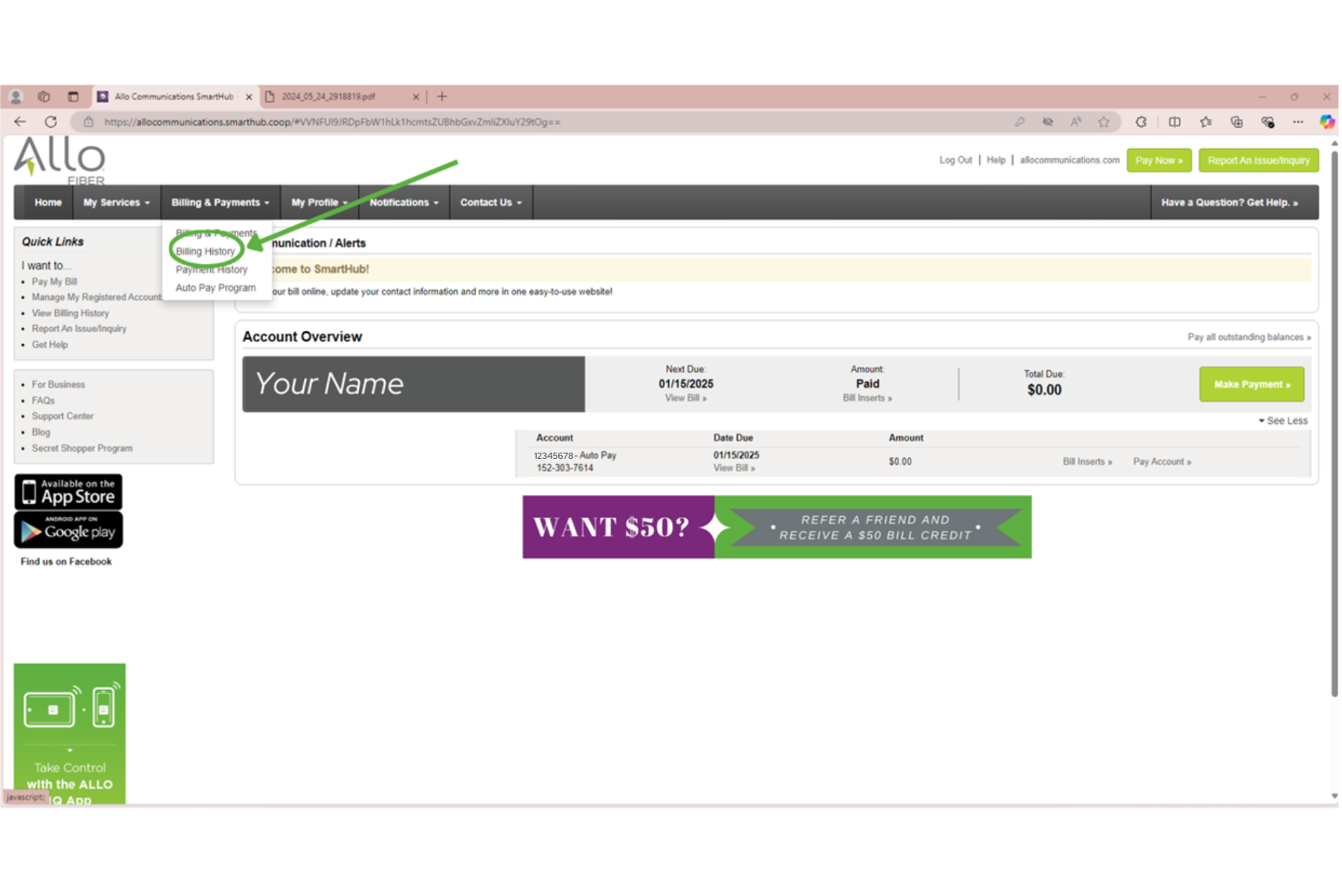
- Select Billing History
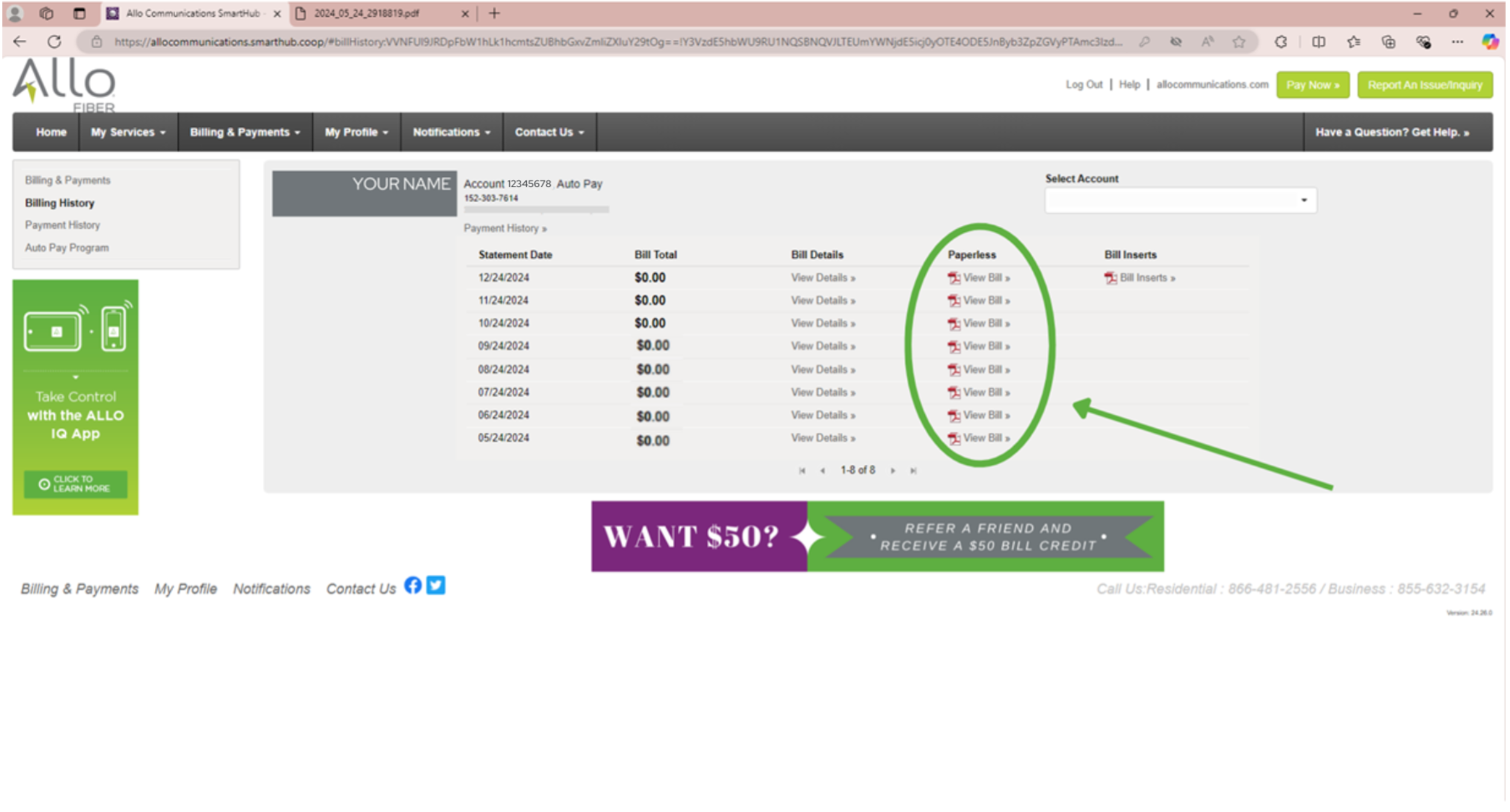
- Click on View Bill
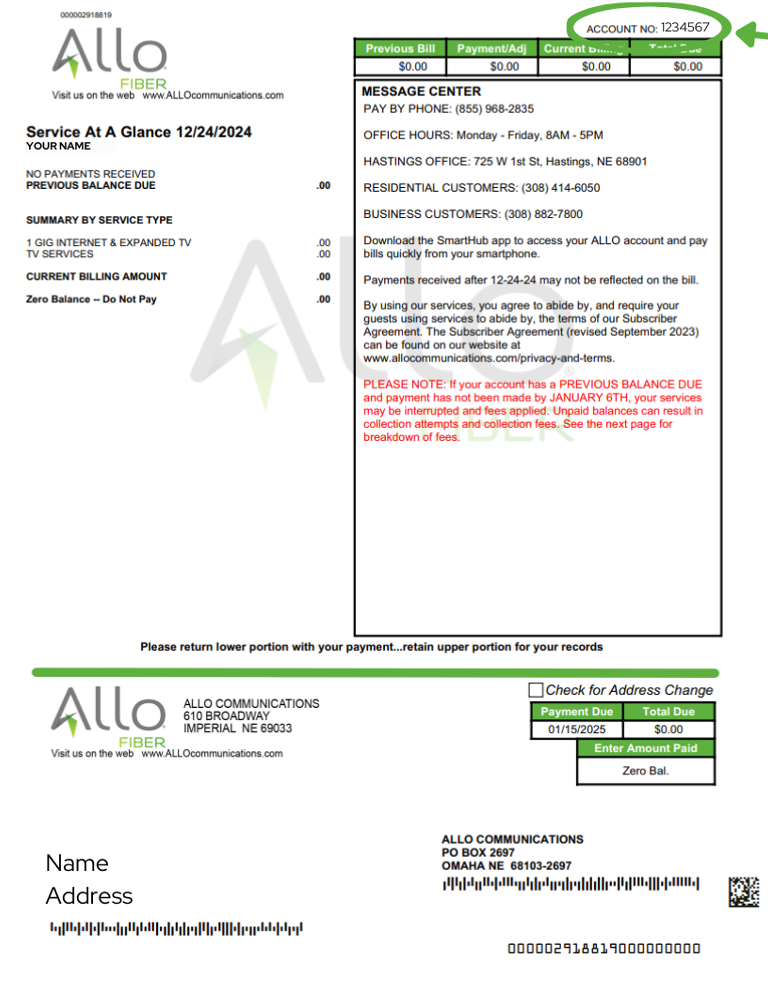
Your Account Number will be displayed on the top right of your bill. If you’re not a SmartHub user, your Account Number will be displayed in the same location on your printed statement.